Skip to content
View in the app

A better way to browse. Learn more.

The Fur Den

A full-screen app on your home screen with push notifications, badges and more.

To install this app on iOS and iPadOS
  1. Tap the Share icon in Safari
  2. Scroll the menu and tap Add to Home Screen.
  3. Tap Add in the top-right corner.
To install this app on Android
  1. Tap the 3-dot menu (⋮) in the top-right corner of the browser.
  2. Tap Add to Home screen or Install app.
  3. Confirm by tapping Install.

Dirty Fur Rug Tail - Closeup Image

Featured Replies

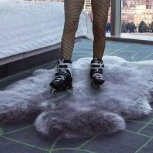
For your viewing pleasure, closeup image of the tail of a fur rug that was once used on the floor of a store many years ago, now in my personal collection. 

Back in the day, I once caught a young female store employee at the said store wipe the dirty bottom of her high heel shoes right on the tail of this very same fur rug after coming in from the rain.  When she saw me, she pretended to straighten the rug with her feet.  Of course, I didn't mind - the employee only ended up with bits of shed-off fur stuck around the bottom edge of her shoes while I ended up buying the dirty fur rug.  I was 15 at the time and it became my FIRST fur rug.

See my old posts for full story of this rug.

20220817_112626[1].jpg

Create an account or sign in to comment

Account

Navigation

Search

Search

Configure browser push notifications

Chrome (Android)
  1. Tap the lock icon next to the address bar.
  2. Tap Permissions → Notifications.
  3. Adjust your preference.
Chrome (Desktop)
  1. Click the padlock icon in the address bar.
  2. Select Site settings.
  3. Find Notifications and adjust your preference.